
Free MacBook Recyclingin Kansas City
Free MacBook recycling for every model — MacBook Air, MacBook Pro, all years from the earliest models to the latest Apple Silicon. Drop off any MacBook at Computer Recycling LLC in North Kansas City. Sign out of iCloud and Find My Mac before drop-off. Data wiped, buyback available for newer models.
- Drop-off, no appointment
- FREE
- Google rating
- ★
- Average drop-off
- 5 min
- Sent to landfill
- 0%
- Desktops
- Laptops
- MacBooks
- Chromebooks
- All-in-ones
- Mini PCs
- Thin clients
- Workstations
Do you accept MacBooks and iMacs for recycling?
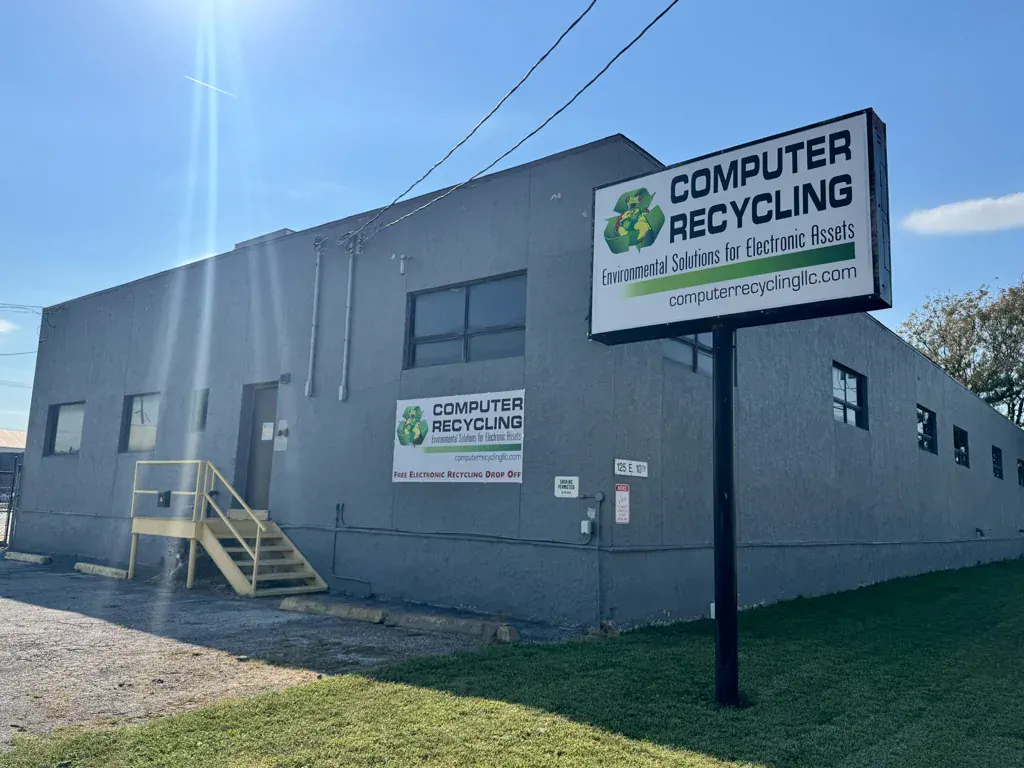
Yes — we take MacBooks and iMacs free, working or broken, any brand and any age. Bring them to Computer Recycling LLC at 125 E 10th Ave, North Kansas City, MO 64116. No appointment, no minimum quantity, no fee. We are open Monday to Friday 8am–3pm and Saturday 8am–2pm. Pull around to the back dock, ring the bell, and our crew comes out to unload for you — most drop-offs take under five minutes. Nothing is landfilled: working gear is refurbished for reuse and the rest is broken down for material recovery through R2v3 or e-Stewards certified partners. Larger volumes can be picked up instead.
- Free for almost every item — first 3 TVs free
- Working or broken — condition does not matter
- Data-bearing devices wiped or shredded on request
Free for businesses, on request. Certificates of Destruction and asset reports are free for companies and organizations — just ask at pickup or drop-off.
Good to know
MacBook Recycling for Every Model and Condition
Searching for MacBook recycling in Kansas City or MacBook recycling near me? Computer Recycling LLC accepts every MacBook model in any condition. Whether your MacBook Air has a swollen battery, your MacBook Pro has a cracked screen, the keyboard has failed, or it simply will not turn on, we will recycle it for free. MacBooks contain aluminum, lithium, cobalt, copper, and gold that can be recovered through responsible recycling.
Apple laptops are built with soldered components and proprietary storage, which makes proper recycling essential. Our team has the expertise to safely disassemble every MacBook generation, remove lithium-ion batteries, and process the aluminum unibody and internal components for material recovery.
For more details, visit our MacBook recycling page or our laptop recycling Kansas City page. Need secure data destruction? See our data destruction services.
What we accept
MacBook Models We Recycle
MacBook Air M1/M2/M3
2020 and newer Apple Silicon models
MacBook Air Intel
2008–2020 Intel-based models
MacBook Pro 14″ & 16″
M1 Pro, M2 Pro, M3 Pro, Max, Ultra
MacBook Pro 13″
All years, Touch Bar and non-Touch Bar
MacBook Pro 15″
2006–2019 Retina and non-Retina
MacBook Pro 17″
2006–2011 all models
Original MacBook
White/black polycarbonate, 2006–2010
Any Condition
Broken, swollen battery, water damage
Data security
Data Security for MacBook Recycling
MacBooks store deeply personal and professional data — passwords, financial records, creative work, and more. Before any MacBook is recycled at our facility, the internal SSD is wiped using NIST 800-88 compliant methods designed specifically for solid-state drives. For Apple Silicon Macs, we use the Erase All Content and Settings function or DFU mode recovery. Intel Macs are wiped via macOS Recovery disk utility.
Before dropping off your MacBook, we strongly recommend: 1) Sign out of your Apple ID in System Settings. 2) Turn off Find My Mac. 3) Deauthorize your Mac from Apple Music/iTunes. 4) Unpair any Bluetooth devices. These steps ensure your account is fully disconnected from the hardware.
Businesses recycling company MacBooks can request a Certificate of Destruction for compliance documentation. Learn more on our data destruction page.
For businesses
Business MacBook Recycling
Upgrading your company’s MacBook fleet? Computer Recycling LLC handles business MacBook recycling for organizations of all sizes across the Kansas City metro. Whether you have a handful of old MacBook Airs or dozens of MacBook Pros from a corporate refresh, we provide secure, documented disposal with data destruction certificates.
For business volumes of 3 or more gaylord boxes, we offer free pickup service. We will come to your office, collect the devices, and handle everything from there. Newer MacBooks in good condition may qualify for our buyback program, offsetting your upgrade costs.
For enterprise-level needs including asset tracking and value recovery, explore our IT Asset Disposition (ITAD) services.
Common questions
Frequently Asked Questions
Still wondering? Text us at (816) 838-6298.
What MacBook models do you accept for recycling?
We accept all MacBook models: MacBook Air (all years including M1 and M2), MacBook Pro (13-inch, 14-inch, 16-inch, all years), and the original MacBook. Intel-based and Apple Silicon models are equally welcome.
Do I need to sign out of iCloud before recycling my MacBook?
Yes, we strongly recommend signing out of your Apple ID, turning off Find My Mac, and deauthorizing your Mac from iTunes before dropping it off. This ensures a smooth recycling process and protects your account.
Do you offer buyback for newer MacBooks?
Yes. Newer MacBook models in working condition — especially Apple Silicon models (M1, M2, M3 and later) — may qualify for our buyback program. Bring your MacBook to our facility and we will assess its value on the spot.
How do you wipe data from MacBook SSDs?
MacBook SSDs are wiped using NIST 800-88 compliant methods designed specifically for solid-state drives. For Apple Silicon Macs, we use the Erase All Content and Settings function or DFU mode recovery. Intel Macs are wiped via macOS Recovery.
Is MacBook recycling free in Kansas City?
Yes, MacBook recycling is 100% free. Drop off any MacBook at our North Kansas City facility during business hours. No appointment needed, no fees, no paperwork for residential drop-offs.
Visit us
Location & Hours
Computer Recycling LLC
125 E 10th Ave, North Kansas City, MO 64116
Hours:
Monday – Friday: 8:00 AM – 3:00 PM
Saturday: 8:00 AM – 2:00 PM
Phone: (816) 295-2334
Text: (816) 838-6298
Email: [email protected]
Ready when you are
Bring it on in.
We’ll handle the rest.
Free drop-off Mon–Sat. We help unload, you’re on your way in five minutes.
